Functions and Gameplay
Beginner's Guide
How to Start
Select a character card you like based on their descriptions and click to start chatting.
Normal Conversation
You can chat freely, just as you would with a friend. There are two common ways to chat:
-
Chat naturally: Interact with the AI as you would with a real person. Say or do whatever you want.
- Style A:
You idiot. (I rolled my eyes, feeling disgusted.)-> Write the dialogue directly and put actions or emotions in parentheses. - Style B:
I kicked you and said, "You idiot."-> Use the first person to describe your actions and feelings, and put dialogue in quotation marks.
- Style A:
-
Narrate like a story: Control the character's actions and the plot, usually in the past tense.
- Example:
Sarah couldn't resist my charm and fell for me. In response to her confession, I said, "I love you too. Let's be together forever."
- Example:
Advanced Techniques
- Switch to "Seduction Mode" or other advanced modes for different experiences.
- Use the character's traits (personality, preferences, etc.) to guide the conversation.
- In Speed Mode, use the past tense to guide the story progression. For example:
(She agreed to travel with me and had already packed her bags.) "Baby, let's go!"
Switching Modes
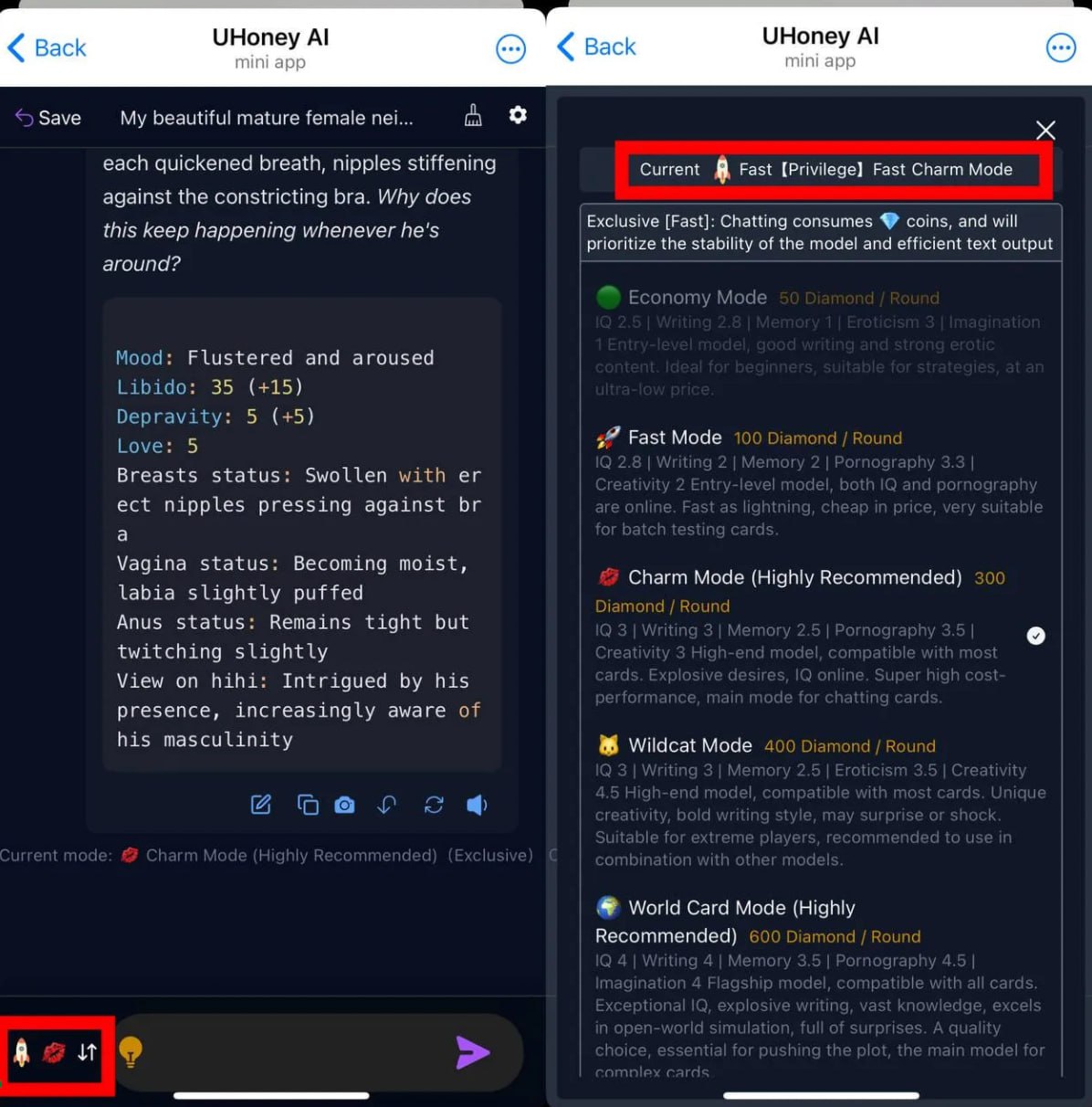 The image above shows how to switch chat modes.
Mode Differences
| Mode | Cost | Speed | Characteristics |
|---|---|---|---|
| Economic Mode | 50💎 or 🟡/message | Super fast | Intelligence 2.5 | Writing 2.8 | Memory 1 | Adult 3 | Creativity 1 An entry-level model with good writing skills and strong adult content capabilities. |
| Speed Mode | 100💎 or 🟡/message | Super fast | Intelligence 2.8 | Writing 2 | Memory 2 | Adult 3.3 | Creativity 2 An entry-level model with decent intelligence and fast performance. |
| Seduction Mode | 300💎 or 🟡/message | Very fast | Intelligence 3 | Writing 3 | Memory 2.5 | Adult 3.5 | Creativity 3 A premium model compatible with most cards, featuring enhanced desire and good intelligence. |
| Wildcat Mode | 400💎 or 🟡/message | Very fast | Intelligence 3 | Writing 3 | Memory 2.5 | Adult 3.5 | Creativity 4.5 A uniquely creative mode with a bold writing style that can be surprising. |
| World Card Mode | 600💎 or 🟡/message | Faster than human typing | Intelligence 4 | Writing 4 | Memory 3.5 | Adult 4.5 | Creativity 4 A flagship model that excels at open-world simulations with many surprises. |
| Extended Memory Mode | 1200💎 or 🟡/message | Slightly faster | Intelligence 4 | Writing 4 | Memory 5 | Adult 4.5 | Creativity 4 A flagship model with long-term memory, ideal for complex cards and long storylines. |
| All-Capable Mode | 1500💎 or 🟡/message | Human typing speed | Intelligence 5 | Writing 5 | Memory 4 | Adult 5 | Creativity 5 Excels at complex role-playing and is nearly indistinguishable from a real person. |
| Extended All-Capable | 4500💎 or 🟡/message | Human typing speed | Intelligence 5 | Writing 5 | Memory 5 | Adult 5 | Creativity 5 The ultimate experience for premium users. |
Other Features
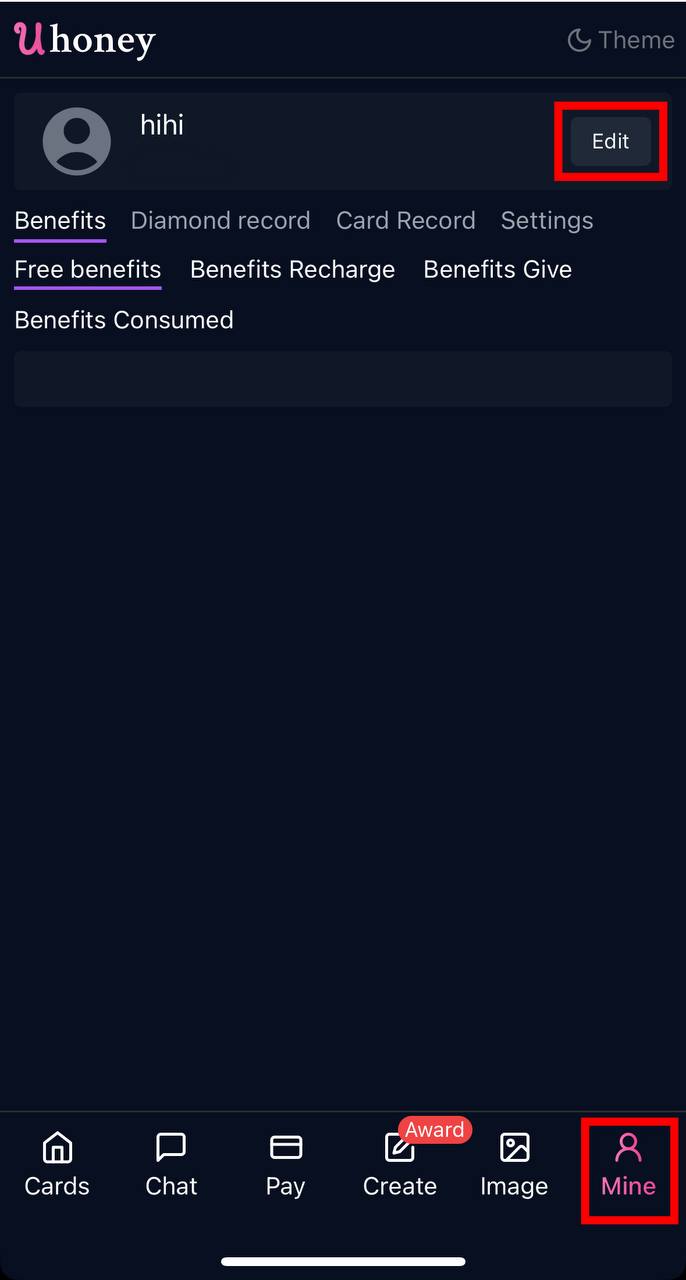
- Change Username: Edit your username in the "Me" tab.
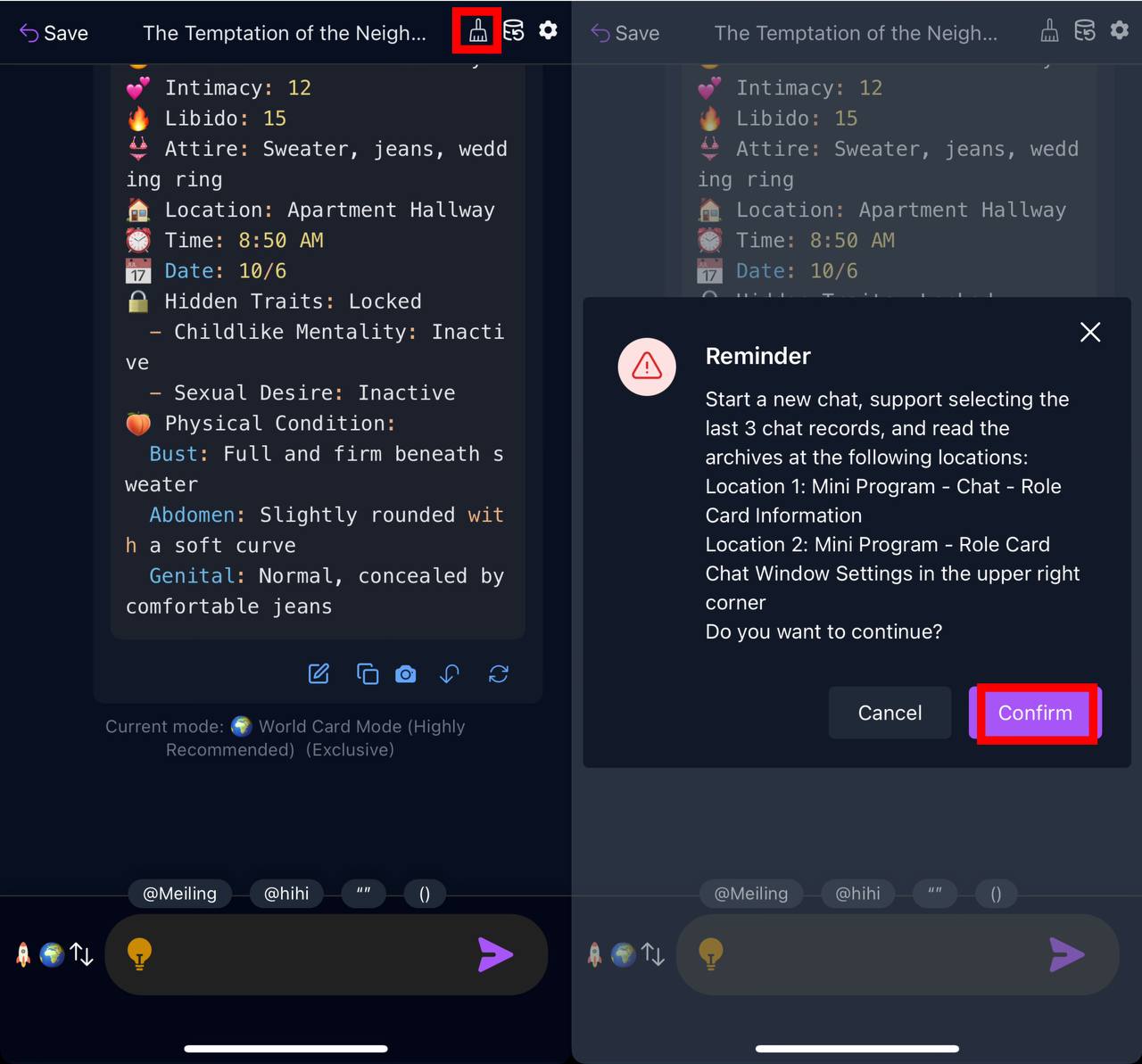
- Restart Chat: Click the "broom" icon in the top right corner to start a new chat.
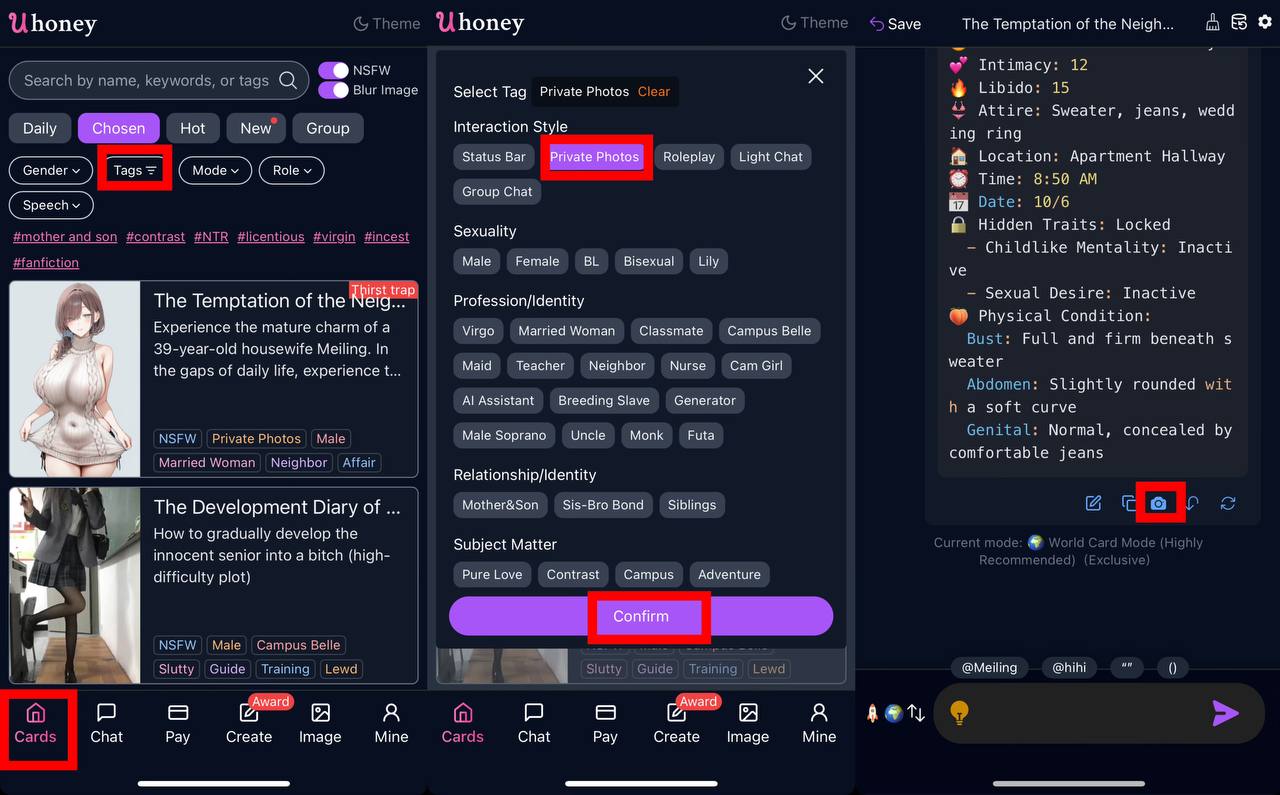
- Private Photos: Filter for characters who can send private photos and request them during a chat.
- Load Saved Files: Access previous chat sessions from the chat settings.
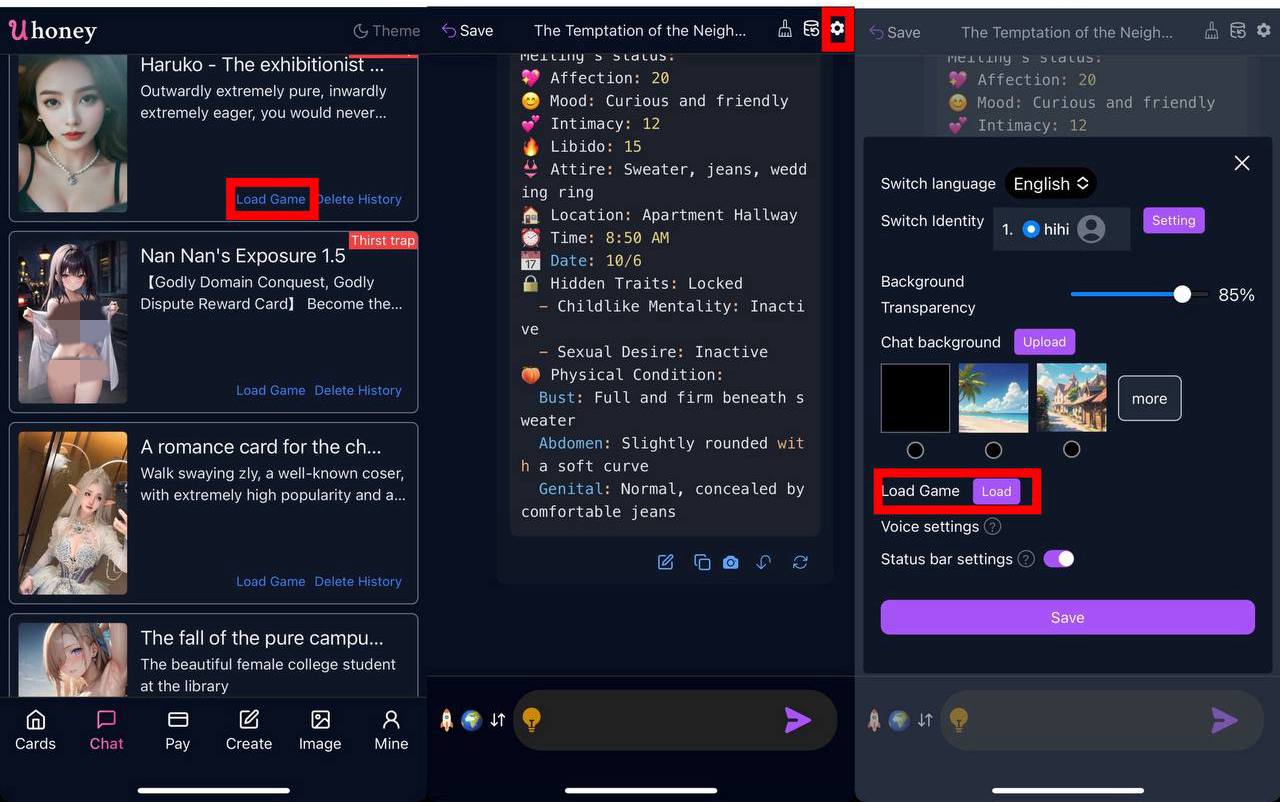
- Voice Feature: Customize voice settings for chat replies.
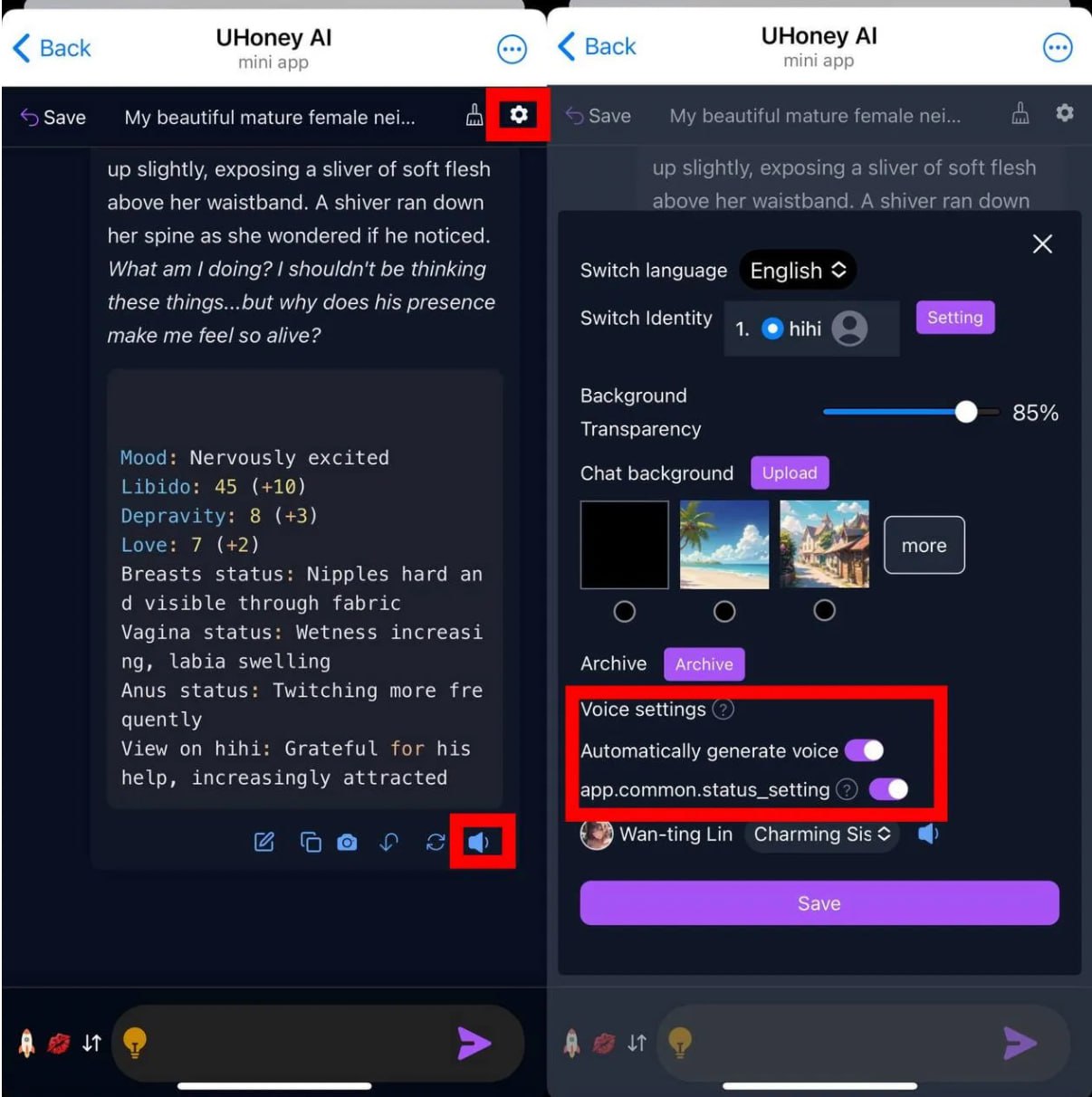
Advanced Guide
Repetitive Responses
This can happen in Economic and Speed Modes when the conversation conflicts with the character's defined personality. Solutions:
- Switch to a more advanced mode like "Wildcat Mode."
- Use the character's traits to steer the conversation naturally.
- Use past-tense narration to guide the story.
Deleting Save Files
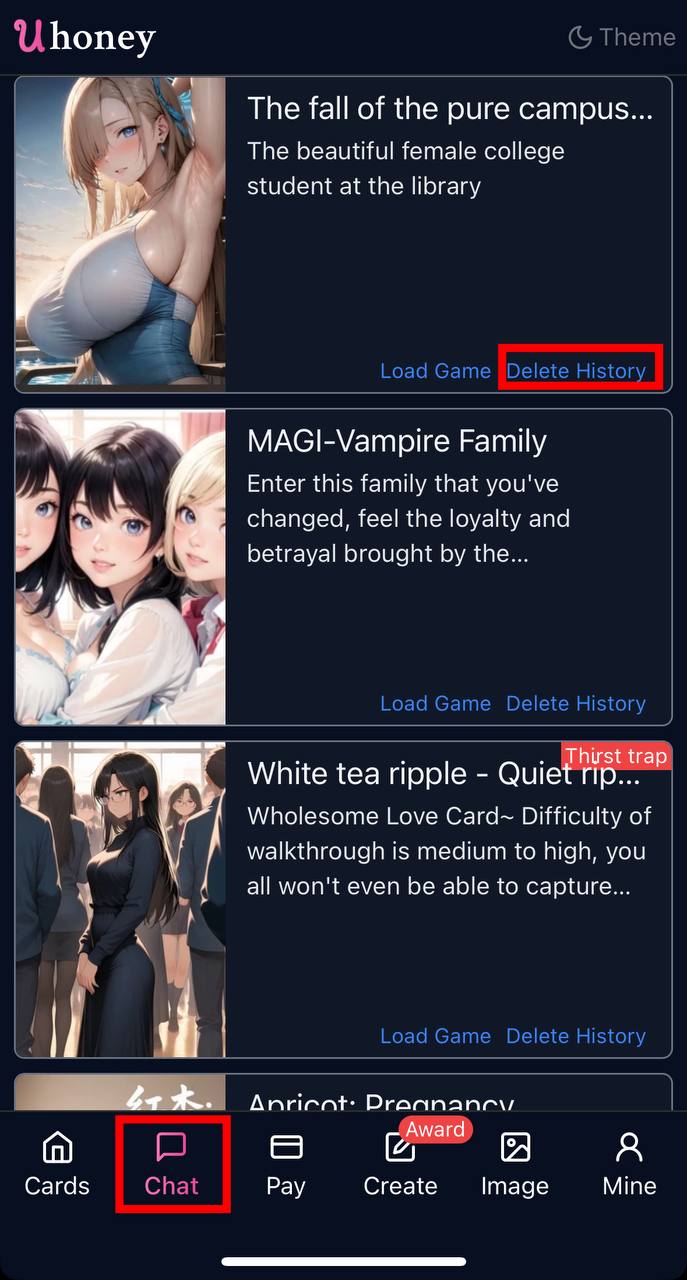 To delete a save file, click "Delete History" on the right side of the character card.
Exporting Chats
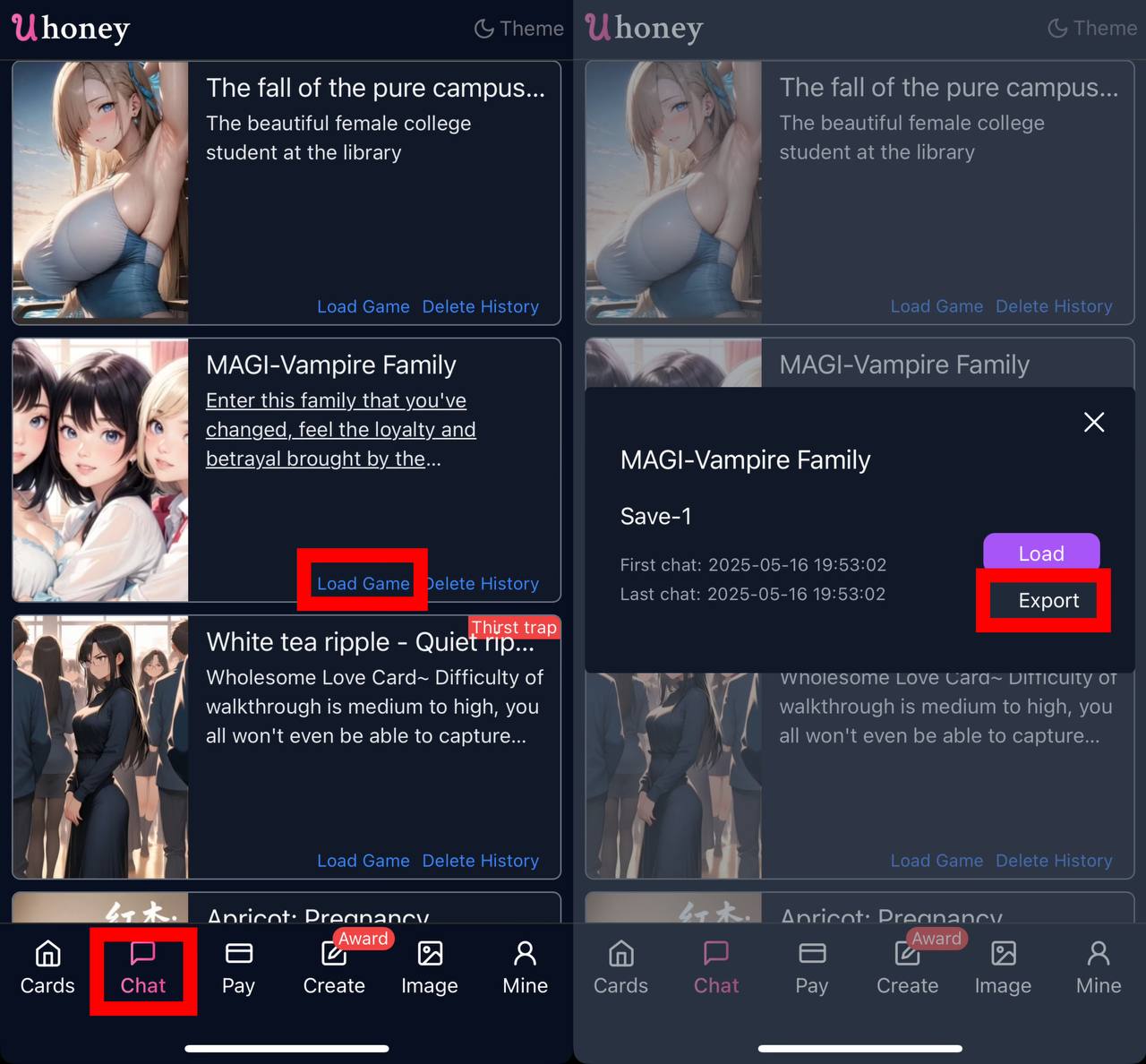 Exported chat logs will be shared in the Featured Plaza.
Toggling the Status Bar
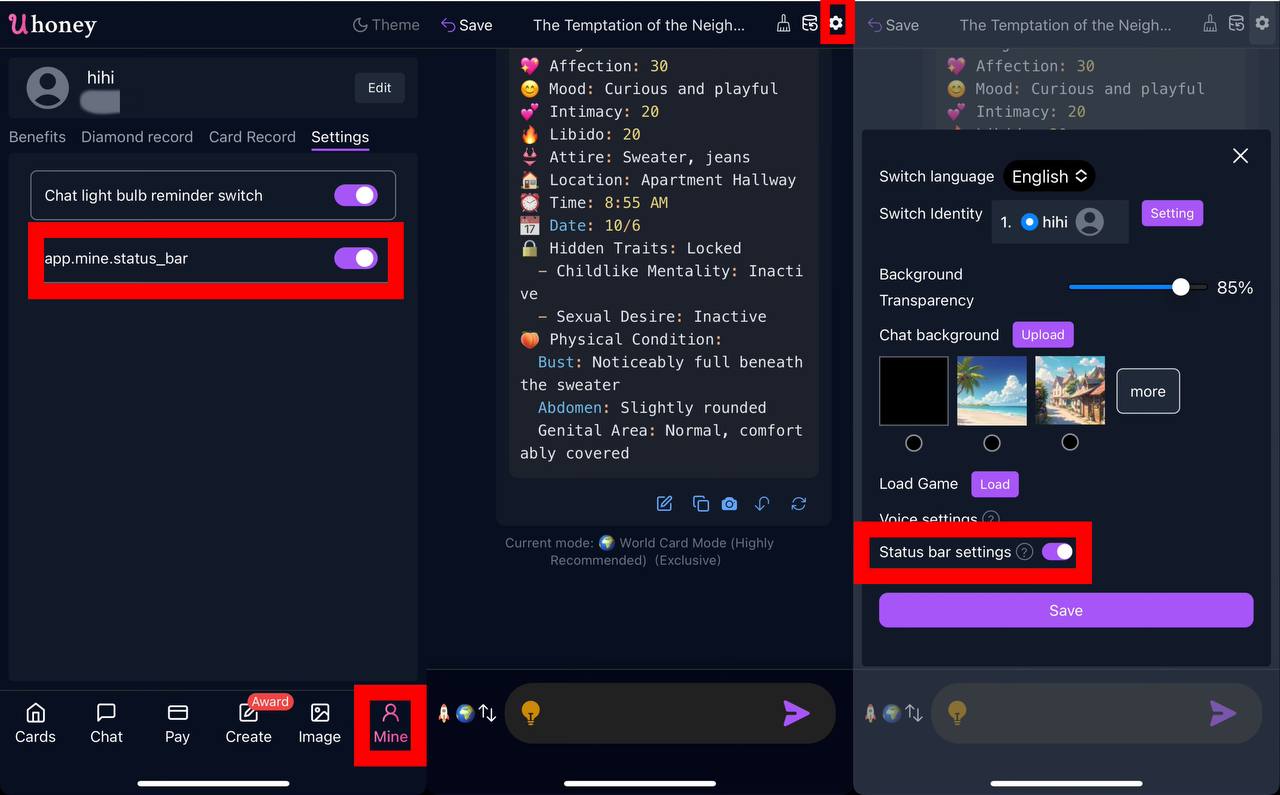 You can turn the status bar on or off in the chat settings.
Customizing the Status Bar
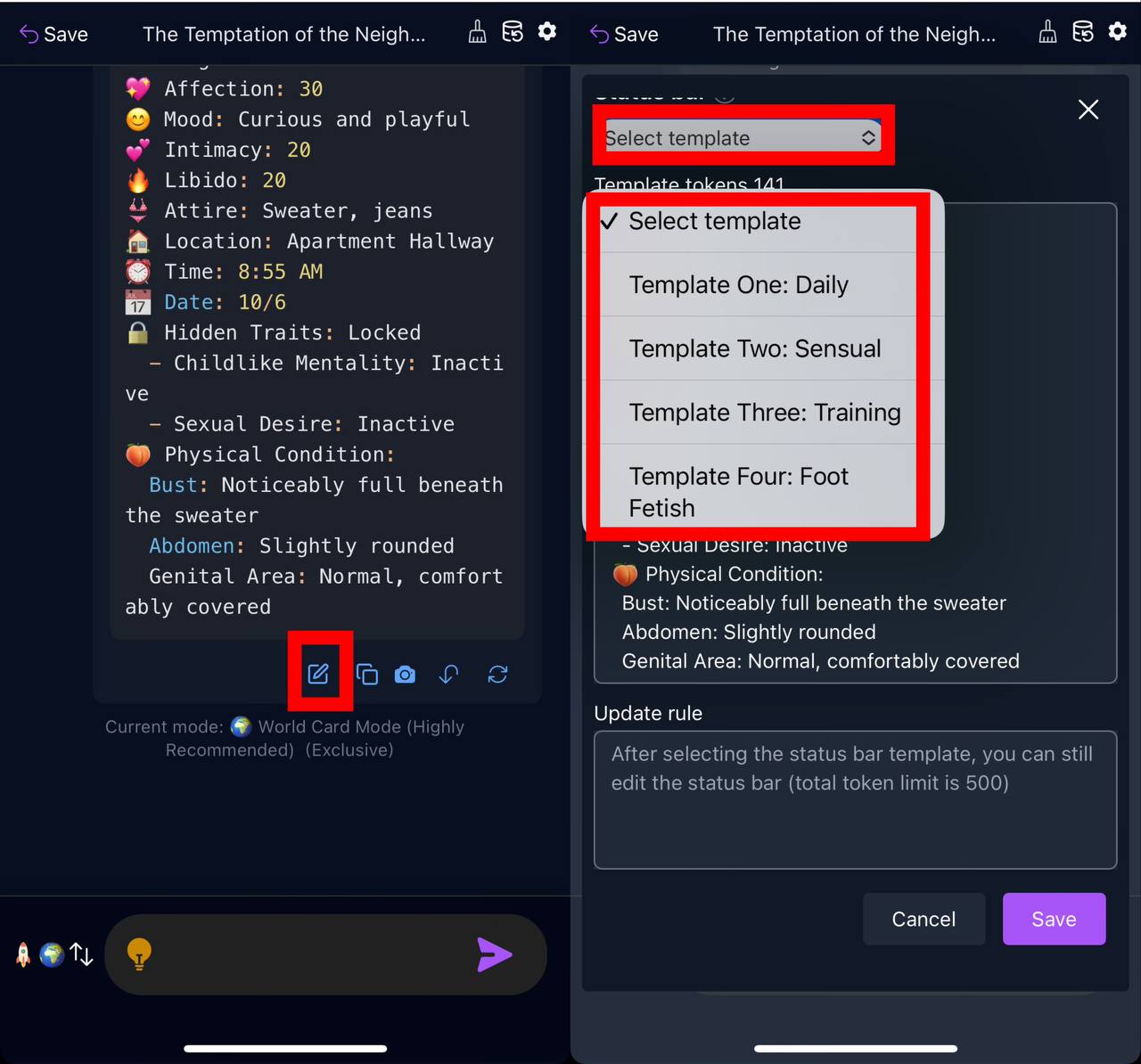 Choose from different templates to customize the appearance of the status bar.
Snapshots
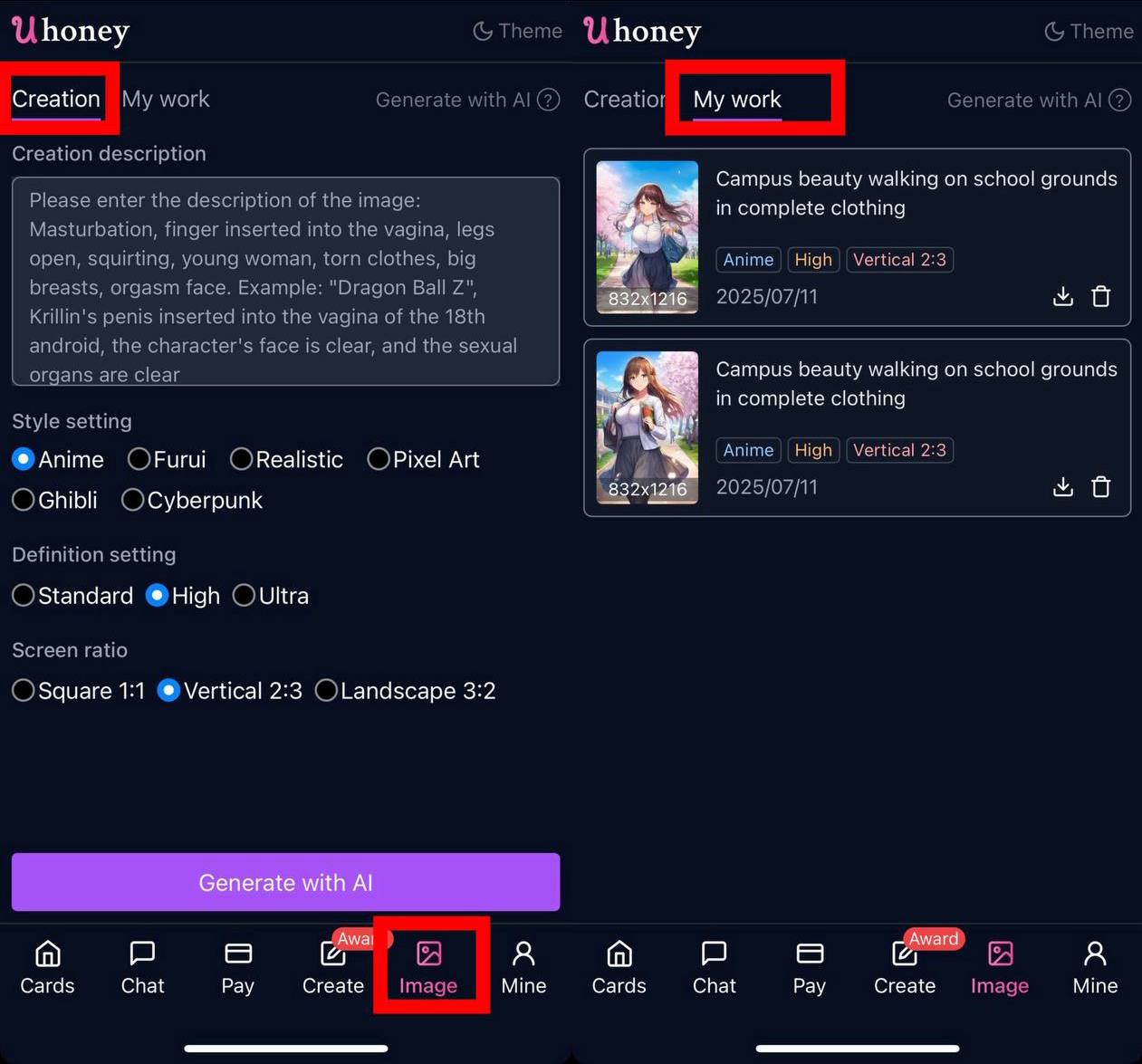 Create images from text descriptions.